

Map a subscriber CSV into Kit without blanking useful fields
Map only the fields you intend to change.
Kit says imported blank values can replace existing subscriber data, while imported tags are added rather than replacing the current tags. Keep an untouched export, then test a small, permission-based sample before moving the list.
Work through the setup
- Make a field map. Write the source column, destination field and intended action for each column. Leave columns out when their existing destination values must remain unchanged. An unmapped column is not imported.
- Split mixed updates. Separate rows with a meaningful first name from rows where the name is blank. The official import guide describes using separate files to avoid clearing names that are already useful.
- Review the actual mapping. Open Subscribers, choose Add Subscribers then Import CSV. Map your email column, map only deliberate updates, and map a tag column to Comma-separated list of tags if present.
- Inspect before scaling. Use a few records you control or have permission to handle. Compare the before and after fields and tag sets. Do not add a whole audience to an email sequence merely to see whether import works.
A worked example
Illustrative field map: email → Email; first_name → First name only for rows with a real new value; migration_batch → a dedicated tag. If 200 rows have names and 40 do not, use a name-update file for the 200 and a second file without the name column for the remaining changes. These counts describe an example, not a tested import.
What to watch out for
- A spreadsheet can silently change date strings or leading zeroes. Keep a copy in the original format.
- Tagging can trigger an automation, even when you intended only to organize records.
- Adding a subscriber to a form does not ask them to reconfirm permission during CSV import.
Write a small field contract
For each column, record the source heading, destination field and what an empty value should mean. Keep subscriber status separate from a marketing tag. Try a handful of records that include a custom-field value, an empty value and a nonstandard heading, using permitted test data. Check the actual subscriber records after the import. A successful file upload is not proof that fields mapped as intended, and a tag name is not evidence of permission to send email.
A local check for this task
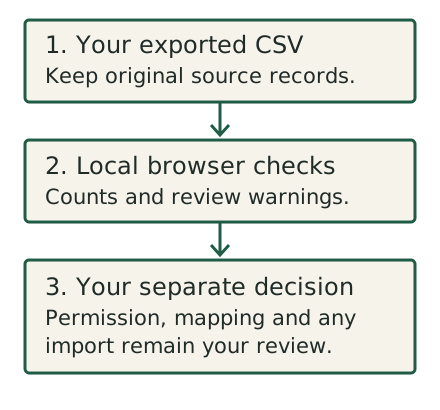
Check the CSV locally before mapping it. The result flags ambiguity; it does not approve the import.
Sources and evidence
- How to import a subscriber list | Kit Help Center (read November 7, 2026)
- Importing subscribers into Kit: what to know + FAQs | Kit Help Center (read November 7, 2026)
Use the local checker to flag CSV structure, duplicate and status ambiguity. Review every field you plan to map in Kit, then inspect permitted sample records after import. A clean local report is not import approval or permission to send.
Common checks
Can I import a blank first name safely?
Not if you need to preserve an existing value. Exclude that field for the affected rows or split your import as the official guide describes.
Published November 7, 2026. Sources last read November 7, 2026. Send a correction.